1. Blog
  2. Article

Canonical
3 August 2017

Upgrading your Ubuntu-on-Windows install to the app version


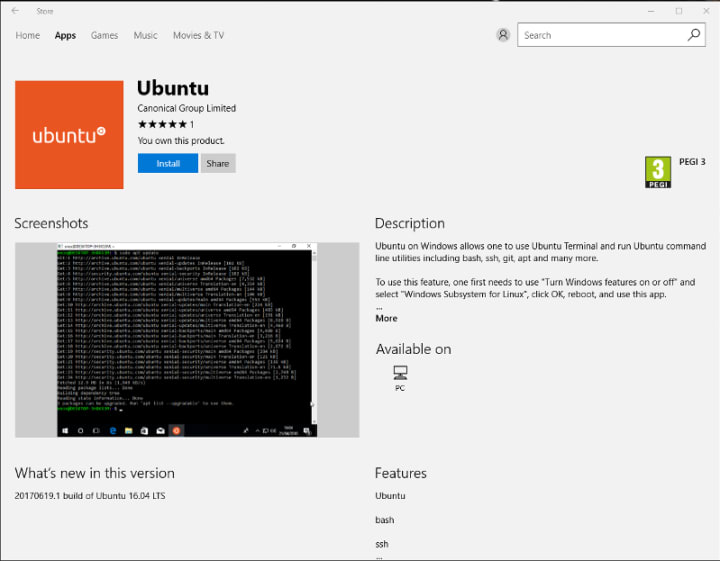
Our team and Microsoft recently released Ubuntu as a Windows app store application! If you toyed with the “bash on Ubuntu on Windows” version before and would like to try the latest and greatest, read on!
Saving your data

If your “bash on ubuntu on windows” environment has some data you’d like to keep, make sure you back it up now. The uninstall process will nuke everything.

Uninstall the old way

This is relatively simple. Opening a command line (cmd.exe) terminal and typing

lxrun /uninstall

will destroy your previous environment.

Installing the new way

To find the app in the Microsoft store, just type “Ubuntu” in the search bar. Click install. Voilà!


Related posts

Surviving the uncharted: when dedicated OpenStack expertise is your best ally in disaster recovery

A customer’s OpenStack control plane went down overnight after their only backup proved stale. Canonical support rebuilt the database cluster live, service by service, without...

Canonical joins the Open Secure AI Alliance

Canonical is now part of the Open Secure AI Alliance, announced by NVIDIA with partners across cloud computing, cybersecurity, enterprise software, open source foundations, and...

AI harnesses for telco autonomous networks

As the telco industry transitions toward Autonomous Networks Level 4, a fundamental architectural challenge has emerged: how do you build a secure, reliable and interoperable...

Arduino® VENTUNO™ Q is available for pre-order with Ubuntu pre-installed

London, UK – August 25, 2026 – Following our initial collaboration announcement in March 2026, Canonical and Arduino (a subsidiary of Qualcomm Technologies, Inc.) are excited...